
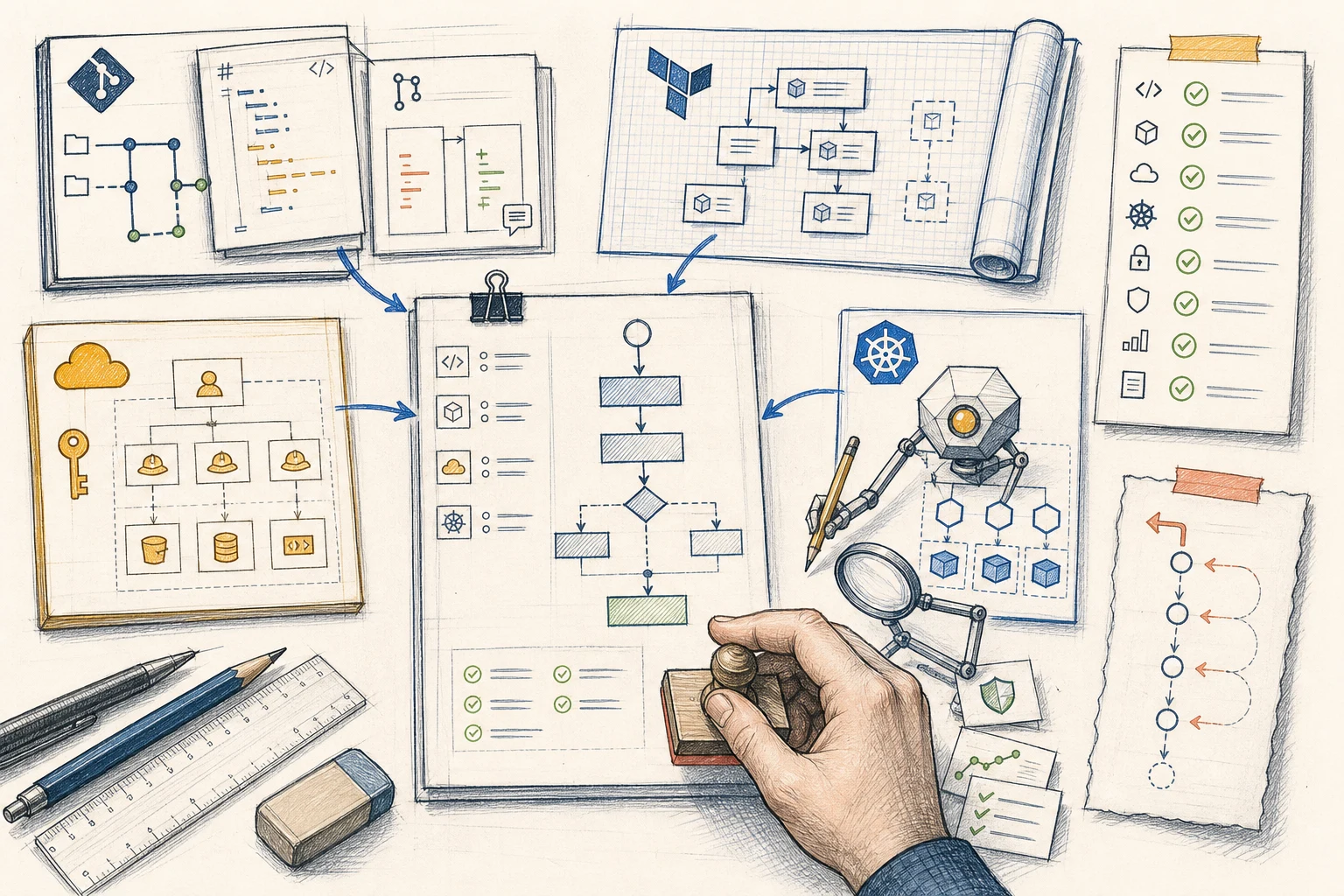
A request to install one Kubernetes controller can cross GitOps, Terraform, AWS IAM, EKS and application configuration. AI helps when it can trace that whole path and put a plan in front of an engineer before code.
The visible part of a secrets-controller request may be one Helm release. The working change also needs a scoped IAM policy and IRSA role in Terraform, the correct Kubernetes service account, access to the intended secret paths and an order that lets Argo CD create dependencies before workloads use them.
We get better results when AI plans before it edits. It inspects the GitOps repository, IaC repository, AWS account and EKS cluster, then writes down the dependencies, delivery order, checks and unknowns. An engineer validates that plan against the platform.
Once the plan is accepted, AI can prepare linked pull requests and collect validation evidence. Engineers still own permissions, production approval and the decision to recover or continue when the result differs from the plan.
The first useful output
Ask for a plan before asking for code.
For a change that crosses repositories, the plan is the first control point. It should name the environments, owners and systems involved, then show dependencies, delivery order, checks, recovery and unanswered questions.
Make every step testable. 'Add IAM permissions' is incomplete. The plan should name the identity, action, resource, source of truth and the evidence that will prove the workload received the intended access.
Scope
Name the environments, repositories, resources and owners that the request can affect.
Dependencies
Trace what must exist first and which controllers or pipelines will react to the change.
Evidence
Define the plans, renders, health conditions and runtime behaviour the team will check.
Recovery
Explain how to stop, revert or reconcile the change when the expected result does not appear.
The working map
Give AI the same four views we use to understand a change.
No single repository describes an AWS platform managed through GitOps. Repositories show intent and history. AWS and Kubernetes show live resources, permissions, health and drift.
We use four sources as a practical minimum. Live access starts read-only, uses a short-lived identity and stays within the required accounts, clusters and namespaces. A service account in Helm should connect to its trust policy in Terraform, its role in AWS and the pod using it in EKS. A missing link becomes an explicit question in the plan.
GitOps repository
Shows Helm values, Applications, ApplicationSets, namespaces, promotion rules and the desired Kubernetes state.
IaC repository
Shows EKS, IAM, networking, data services, cloud dependencies and environment boundaries.
AWS access
Checks real roles, policies, secret paths, KMS keys, endpoints and recent cloud changes.
Kubernetes access
Checks CRDs, service accounts, workloads, controller conditions, events and health.
Managed secrets across the stack
A secrets controller shows why one-repository context falls short.
Take External Secrets Operator syncing selected values from AWS Secrets Manager into EKS. The GitOps repository needs the operator, its configuration and the SecretStore or ExternalSecret resources. Argo CD must apply them in an order that respects CRDs, controller readiness and workload dependencies.
Terraform may also need a policy scoped to the intended secrets, an IRSA role whose trust policy names the exact namespace and service account, and KMS access when a customer-managed key protects the secret. The role ARN then reaches the service account configuration managed through GitOps.
Read-only checks confirm that the OIDC provider, role, policy, secret paths, service account and operator match the proposal. The agent never needs secret values. After plan review, it can prepare two linked pull requests. CI produces the Terraform plan and rendered Kubernetes resources, and an engineer reviews permissions and order before the normal delivery path applies them.
Each step produces evidence for the next decision. AI prepares the path and engineers control promotion.
- 01Name the outcome
Identify the workload, environment, secret paths, owner and recovery path.
- 02Inspect the four contexts
Connect GitOps and Terraform declarations with the live AWS account and EKS cluster.
- 03Validate the plan
Check ownership, IRSA trust, least-privilege access, order and missing information.
- 04Prepare the IaC proposal
Add the scoped policy, role, trust relationship and cloud resources.
- 05Prepare the GitOps proposal
Add the operator, service account, stores and workload references in the right order.
- 06Approve and reconcile
Engineers review plans and diffs before Terraform and Argo CD apply accepted changes.
- 07Verify the outcome
Check controller conditions, workload health, access events and recovery without reading secret values.
Structure becomes context
A clear structure helps people and AI find ownership.
Clear repositories let people and AI follow environment boundaries, module ownership, application composition and promotion. Resources outside that structure create blind spots: a role created during an incident, a manually installed controller or an override in another repository.
Planning turns hidden knowledge into a question. If the agent cannot find an owner or connect a live object to its source of truth, fix the map before adding more automation. That also improves onboarding, review and recovery.
- Give every managed resource one clear source of truth and owner.
- Keep environment differences visible and explain why an exception exists.
- Document how GitOps, Terraform and runtime controllers divide responsibility.
- Compare repositories with live AWS and Kubernetes state for unmanaged resources and drift.
A second field example
Preview environments make the context problem even more visible.
In a microservice preview design we built, one pull-request label activated a full ApplicationSet using branch and commit selections held in an automation repository. A second label launched a preview for one service. Both paths used the same GitOps controls while answering different review needs.
An AI assistant must trace the label, workflow, commit selection, ApplicationSet, Helm values, namespace, DNS, TLS, data dependencies and teardown. Its plan states whether the request needs one service or a coordinated stack, which commits belong together and who owns cleanup. With those decisions visible, AI can prepare the repetitive repository edits and checks.
Speed with an audit trail
Let AI prepare the change and keep execution inside the normal path.
After plan approval, AI can prepare linked proposals, update documentation and collect existing check results. The pull requests keep the reasoning, dependencies and review conversation next to the code.
CI validates Terraform, renders Kubernetes resources and runs policy and security checks. Engineers review IAM scope, data access, deletion, recovery and production promotion. Git records the accepted state, Argo CD reconciles it, and AWS and EKS report the result. When reality differs from the plan, the workflow pauses and returns the evidence to the engineer.
- The plan and both repository diffs refer to the same change and dependency order.
- CI shows the Terraform plan, rendered Kubernetes resources and policy results before approval.
- An engineer approves permissions, environment scope, promotion and recovery decisions.
- Post-change checks cover controller health, workload behaviour, security signals and rollback readiness.
A practical first adoption
Choose a change your team already understands well.
Begin with a repeatable non-production change that crosses at least two contexts. A controller upgrade, workload identity or preview-environment option gives the team enough surface area to test planning without giving AI production authority.
Provide repository access and bounded, read-only AWS and Kubernetes access. Review missing context and unsafe assumptions first. When plans become reliable, allow pull-request preparation while existing CI, peer review and promotion rules remain in place.
1. Pick the workflow
Choose one known change with a named owner, expected result and recovery path.
2. Connect the context
Provide the GitOps repo, IaC repo, AWS view and Kubernetes view required for that workflow.
3. Review plans first
Score the agent on dependencies, unknowns, order, permissions, validation and recovery.
4. Add proposal access
Let the agent prepare pull requests while existing CI and engineers control acceptance.
5. Learn from the outcome
Feed confirmed gaps, incidents and recovery lessons back into the workflow instructions.
What becomes easier
Use AI to reduce the search and preparation around GitOps.
The four-context model lets AI connect desired state, cloud identity and live runtime behaviour. A checked plan makes its assumptions visible while they are still cheap to correct.
AI can then prepare repetitive work across repositories and collect evidence from AWS and EKS. Engineers keep the decisions that define risk, ownership and production approval. The result is a shorter path to a change the team can understand and operate.
References and related resources